Cloud Backup
Back up everything and recover anything in one click
Automatic backups for IONOS servers, workstations, and Microsoft 365
Full recovery from a single file to a complete system image
Scalable storage that grows with your business
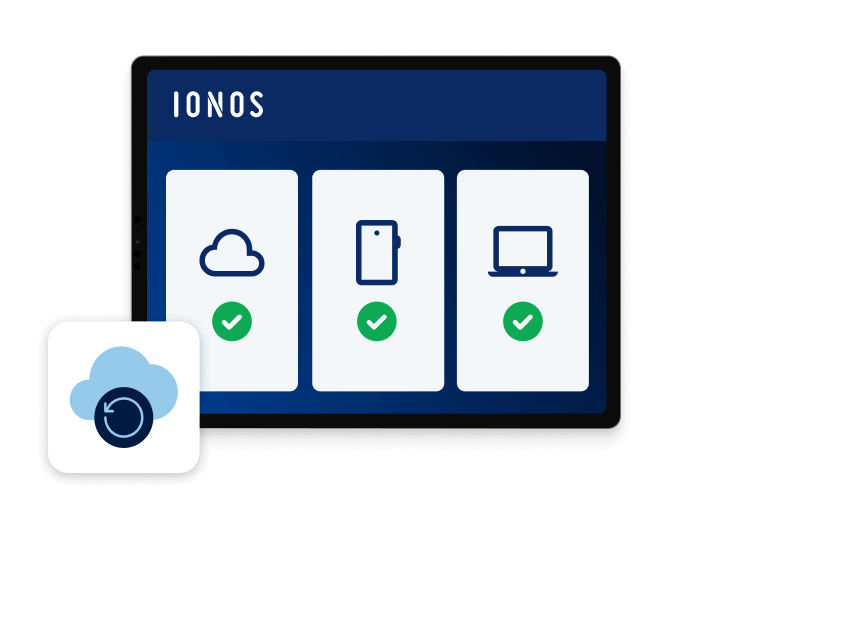
Total control over your backups
Set your schedule, choose your devices, and manage everything from one dashboard.A backup platform you can count on
Transparent pricing
Simple backup scheduling
Works with any device
Maximum security
Fast setup
Market-leading backup
Serious backup protection for every budget
Start your 1st month with a $250 credit.
Choose your storage capacity from the dropdown. The more storage you need, the better the value.
State and local taxes will apply. Click here for our General Terms and Conditions.
Need more flexibility?
Storage | Advanced security | Advanced management | |
|---|---|---|---|
Price | $0.07/GB | $2/device per mo | $2/device per mo |
Price | |
|---|---|
Storage | $0.07/GB |
Advanced security | $2/device per mo |
Advanced management | $2/device per mo |
Storage overage, simply priced
Device limits per GB plan | Device limits per TB plan |
|---|---|
Back up all 4 device types: 100 GB | 3 devices max per type 250 GB | 5 devices max per type 500 GB | 7 devices max per type | Back up all 4 device types: 1 TB | 10 devices max per type 2 TB | 20 devices max per type |
Back up all 4 device types: 100 GB | 3 devices max per type 250 GB | 5 devices max per type 500 GB | 7 devices max per type | |
|---|---|
Device limits per GB plan | |
Device limits per TB plan | Back up all 4 device types: 1 TB | 10 devices max per type 2 TB | 20 devices max per type |

Only at IONOS
Your personal consultant
Not only do you get the latest AI tech, but you also get your own personal consultant to guide you every step of the way.
24/7 expert support
Technical questions? Our award-winning experts are always available to help by phone, chat or email.
Cloud Backup — FAQs
With Cloud Backup, you can create both full and incremental backups as well as full image backups, file copies, and disk copies.
Incremental backups first establish which data's changed since the last backup. This data is then saved and overwrites the previous version. Any data that wasn't changed is still saved. This type of backup typically requires less storage than a full backup.
A full backup is a complete backup. In other words, all data is backed up, whether it's been updated since the last backup or not.
With cloud storage, only data of various types is stored. In principle, this is the same as saving important documents, media files, etc. on an external hard disk. However, unlike an external hard drive, the cloud can be accessed wherever you are using the internet.
In addition, using the cloud for backups means that it's not only files that can be backed up, but also complete system statuses in different versions. This means it's possible to reset a server to a previously secured system status at any time after there's been a security issue or an IT system malfunction. This allows you to quickly restore to a secure and stable operating state.
The best kind of backup routine depends on your needs, such as how you work and which processes you want or need to map. When you use Cloud Backup, you aren't limited to just one backup type, but are free to change and combine options.
For many users, performing a full backup once a week is enough. Others prefer to carry out incremental backups on a weekly basis. A software development company or users with high data volumes often need to create daily backups. This way, every backup — going back weeks — is available, so that old systems or development stages can be quickly restored at any time.
No, you won't experience any noticeable latency (delays in the signal run times) in your IT infrastructure during data transmission, intermediate storage, or data packet testing. Of course, it will take a little longer, if you're located in the US trying to create a 100 GB backup in a European data center. However, your IT infrastructure will continue to work latency-free.
Local backups such as those on external hard drives or desktop PCs are at higher risk of being lost, damaged, or even destroyed by accidents or environmental factors. Backing up your data with georedundant structures and state-of-the-art technology, you can virtually eliminate risks like these and ensure that your data stays safe.
And unlike local storage, your data is always available in the cloud. As long as there is an internet connection, you can conveniently access your data no matter where you are.
You can choose between ISO-certified backup servers in the United States or Europe.
Choosing a standard plan means you'll pay for a certain level of features and a set amount of storage. As long as you don't exceed the plan's storage limits, you'll pay the same monthly fee every month.
If you go with a Flex plan, you'll only pay for the amount of data you back up. You can also add advanced security, management, and backup features. You'll pay a set price per month for each device that you add advanced features to.
Once you've purchased the product you can change plans anytime in your account. If you've chosen the Flex plan, you can add or remove storage and features as you need them.
You can back up and recover any server, workstation, or mobile device with Cloud Backup.
 Root servers
 Cheap web hosting
 SQL server hosting
 PHP
PHP Game server hosting
 Server rental
 Free Domain Name
 Free VPS
 Dedicated server hosting
 Cloud server hosting